Last Updated on by Sumi
NIC Asia Bank has been working towards being ‘Digital First Bank” for some time now. So, with that in mind, NIC Asia has introduced the Digital Account Opening system. This new feature allows users to open accounts online without having to visit the bank branch. All you have to do is visit NIC Asia’s website and fill the form for opening an account digitally. Therefore, you will provide all the information through the online form. This feature is even more important now in the current situation where there is a risk of Covid-19.
How to open NIC Asia Digital Account?
- At first, you need to go to NIC Asia’s website https://www.nicasiabank.com/.
- After that, click on Online applications. You will see a list of options for the application.
- Then, select Online NIC Account Opening.
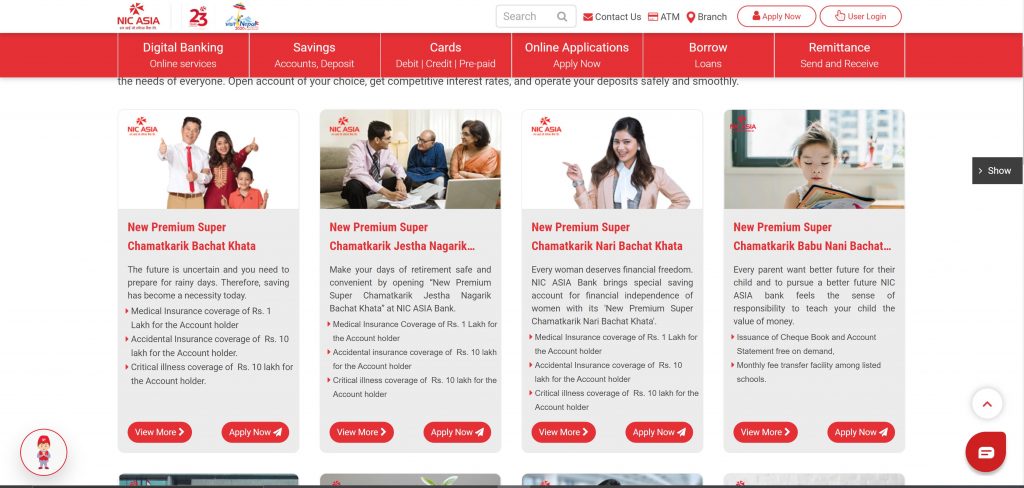
- Now, select the type of account you want to open in the bank and click Apply.
- After that, you will get information about the documents that you will need to open an account digitally.
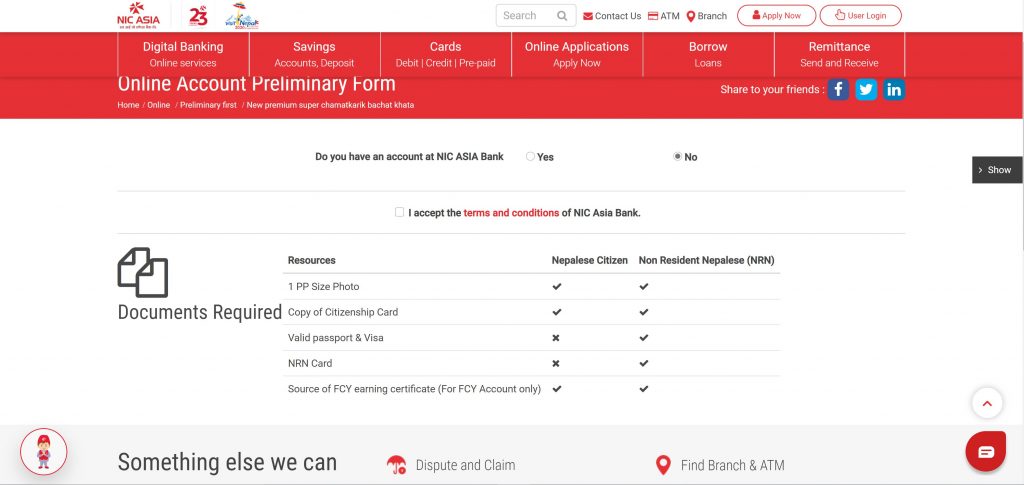
- Then, accept the terms and conditions. After that, you will have to enter your basic information before you proceed. After providing the information, click on Proceed.
- Then, you will receive an OTP on your mobile phone. Enter the OTP and click on Proceed.
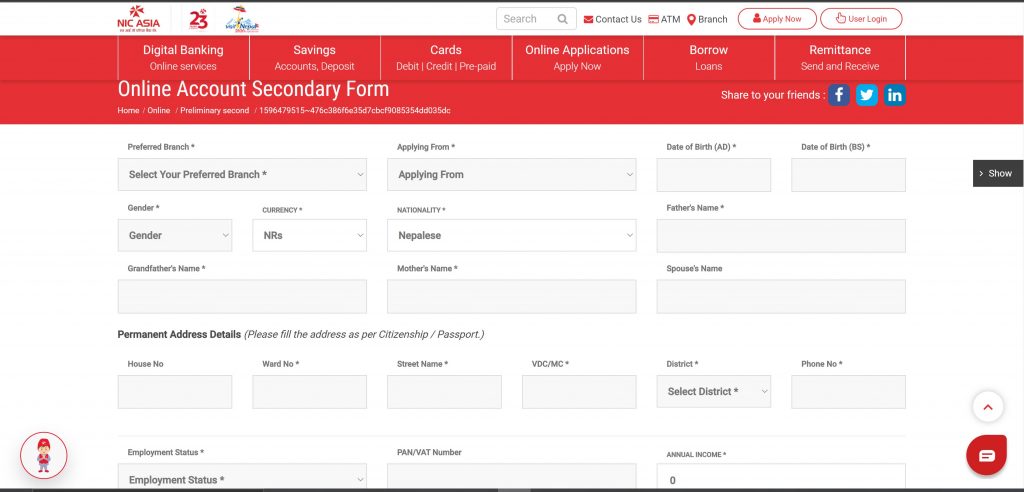
- Now, you will receive a form to enter your personal details.
- After providing your personal details, you have to upload the necessary documents. Then, submit the form.
- Now, you will receive an email after submitting the form.
- Once the form is reviewed by the concerned authorities, you will receive your account number from SMS and email. If there were any mistakes in the form, then they will notify you via mail.
- In the email with the account number, you will find a link to fill up your KYC.
- Click on the link and then update your KYC and submit.
- Once your KYC is accepted, you will receive an email confirming the acceptance.
This way you can open NIC Asia Bank Digital Account from your own home. This not only makes the account opening process faster but also you can do it from anywhere as long as you have an internet connection.
Also Read: Nabil Bank Launches Scan and Withdraw Service: Cash Withdrawals at Bank Using QR Codes