
Skip to content
-
Subscribe to our newsletter & never miss our best posts. Subscribe Now!
  • https://www.facebook.com/
  • https://twitter.com/
  • https://t.me/
  • https://www.instagram.com/
  • https://youtube.com/
ICT BYTE Logo ICT BYTE

Nepal's #1 Tech Blog

ICT BYTE Logo ICT BYTE

Nepal's #1 Tech Blog

  • HOME
  • GADGETS
    • MOBILE
    • LAPTOPS
    • SMARTWATCH
    • TABLETS
  • EVENTS
  • NEPAL
    • Banking
    • B.Sc. CSIT
    • BCA
  • MCS
    • 1st Sem
      • Managerial Communication
      • Object Oriented Programming
      • Open Source Technology
      • Design and Analysis of Algorithm
    • 2nd Sem
    • 3rd Sem
    • 4th Sem
  • Utility Tools
    • .np Cover Letter Generator
    • Image Size Reducer
  • HOME
  • GADGETS
    • MOBILE
    • LAPTOPS
    • SMARTWATCH
    • TABLETS
  • EVENTS
  • NEPAL
    • Banking
    • B.Sc. CSIT
    • BCA
  • MCS
    • 1st Sem
      • Managerial Communication
      • Object Oriented Programming
      • Open Source Technology
      • Design and Analysis of Algorithm
    • 2nd Sem
    • 3rd Sem
    • 4th Sem
  • Utility Tools
    • .np Cover Letter Generator
    • Image Size Reducer
Subscribe
Close

Search

Trending Now:
nepal budget latest tech updates trends
How ToNEPALTechnologyTIPS

How to pay petrol and diesel bill from QR Codes?

By Sumi
2 Min Read
0

Last Updated on 6 years ago by Sumi

“PAY YOUR PETROL AND DIESEL BILL FROM QR CODES”

There’s a new revolution in the world of digital payment i.e QR code, a two-dimensional type of barcode that can store information in an encoded format.

QR code these days is very popular among digital wallets i.e in mobile using which customer scan to make a payment to any merchants. They use it instead of cash to make payments in the stores.Its hassle-free, quite easy and exact.

The world is slowly converting into digitalization and going cashless. There are many payment applications and digital wallets in Nepal which allows customers to make payments via QR codes.

IMEPAY and ESEWA are two popular examples that use QR code payment.

Let’s see in details on how to pay your petrol and diesel bills from QR codes:

Using E-SEWA SCAN AND PAY FEATURE
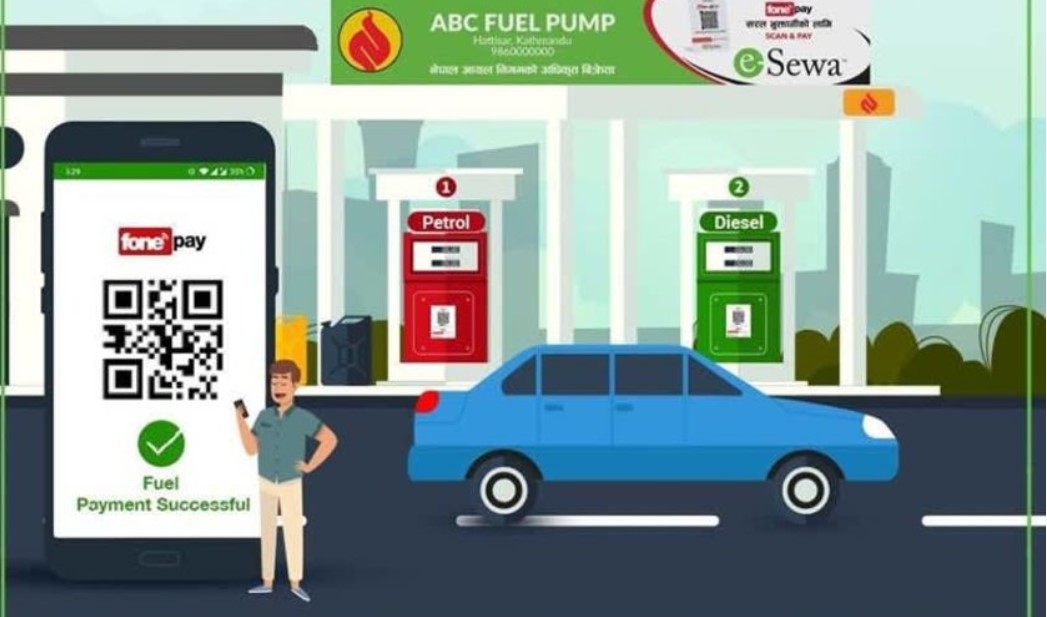
esewa scan and pay to pay fuel bill

  • Sign in your e-Sewa account.
  • Tap on the QR Code Scanner icon.
  • There’s a Scan & pay feature at the bottom of your app.
  • Scan the QR code of the merchant from your camera.
  • After scanning you will be redirected to fill the amount and remarks on the page.
  • Proceed and confirm your payment.
  • At last, authenticate with the 4 digit MPIN to complete your transaction.
  • Tap on Finish after you are done.

Using IMEPAY SCAN AND PAY FEATURE

  • Open the homepage and tap on the QR code scanner tab which is at the center of the bottom side of your homepage.
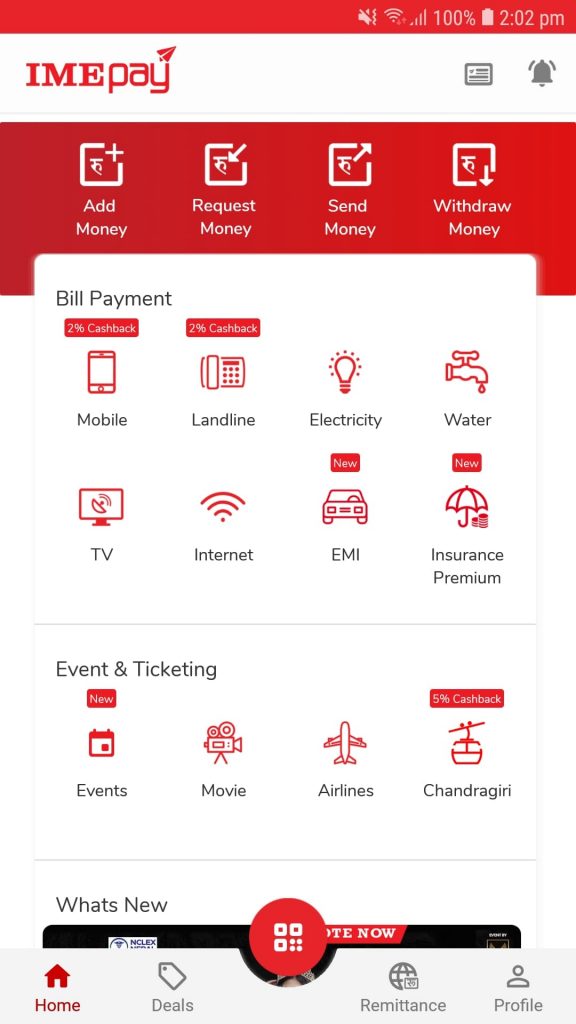
IMEPAY homepage

  • Allow Camera usage(one time only).
  • Scan the QR code of the merchant from your camera.
  • Fill up the payment amount and other required details.
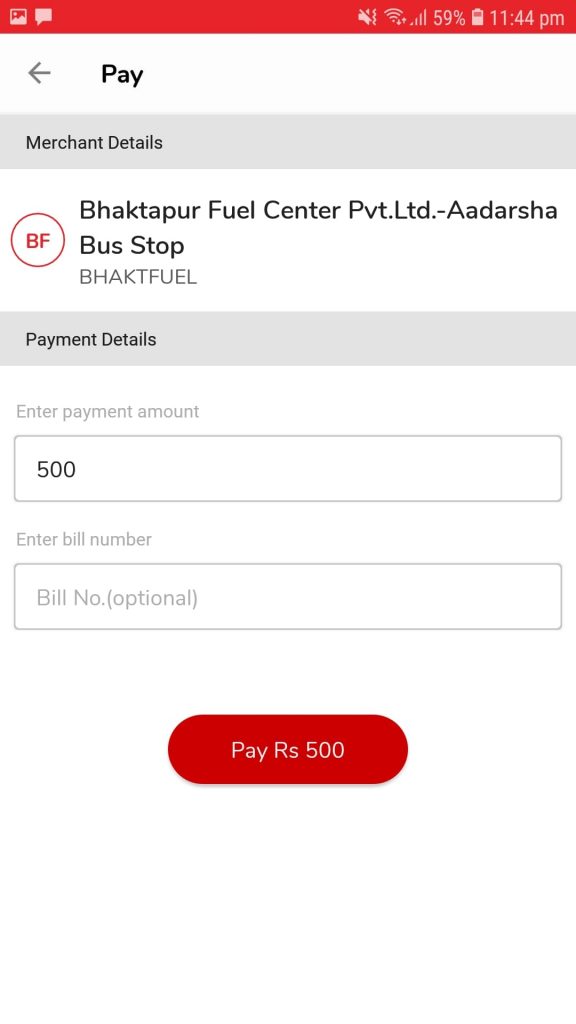
imepay payment details page

  • Enter your wallet Mpin and proceed for the payment.
  • Once your payment is successful, You will receive an in-app notification on your IME PAY.

Also Read : How to pay your electricity bills online?

Tags:

ESEWAIMEPAYOnline PaymentQRCODESCANANDPAY
Author

Sumi

Sumi is the Content Manager of ICT BYTE. She is a tech enthusiast with lots of dreams and aspirations in life. She believes in the power of positive thinking for success and a happy life.

Follow Me
Other Articles
elecricity bill online
Previous

How to pay your electricity bill online?

secure google account
Next

How to Secure Your Google Account?

Copyright 2026 — ICT BYTE. All rights reserved. Blogsy WordPress Theme